Introduction
Okay, this side project began as a mission to find a more user friendly
front end than MAME32 for my cabinet. MAME32 served me well for the
past two years but seeing what others were doing with their cabs made me
want to investigate other alternatives. I initially intended on investigating Mamewah as
well as Ultrastyle and
ArcadeOS but that didn't end up happening.
The main reason is that I got caught up in everything Mamewah had to offer
and, consequently, did not have the time to give the other two FEs the
attention they deserved.
Background
According to the Mamewah site "MAMEWAH is an ArcadeOS
inspired frontend for DOS / Windows command line M.A.M.E. (NOT MAME32) and
other command line emulators under Windows 98/ME/2000/XP. MAMEWAH is designed
to hide the Windows environment and also to be controlled purely by arcade
controllers (joysticks and buttons)." It is a British production by
Minwah.
Installation
Mamewah was easy to install. I downloaded it and the required system
files from Mamewah's site. Less than ten minutes later
it was
running on my cabinet with the default settings. Mamewah comes with several default
'skins'. I chose the 800x600 version and did some fiddling with it
with the excellent screen designer.
However, I wasn't able to get the "oomph" I was looking for. Luckily
there is the ScreenShots Archive which
has a great many excellent, downloadable skins to try out. I chose a
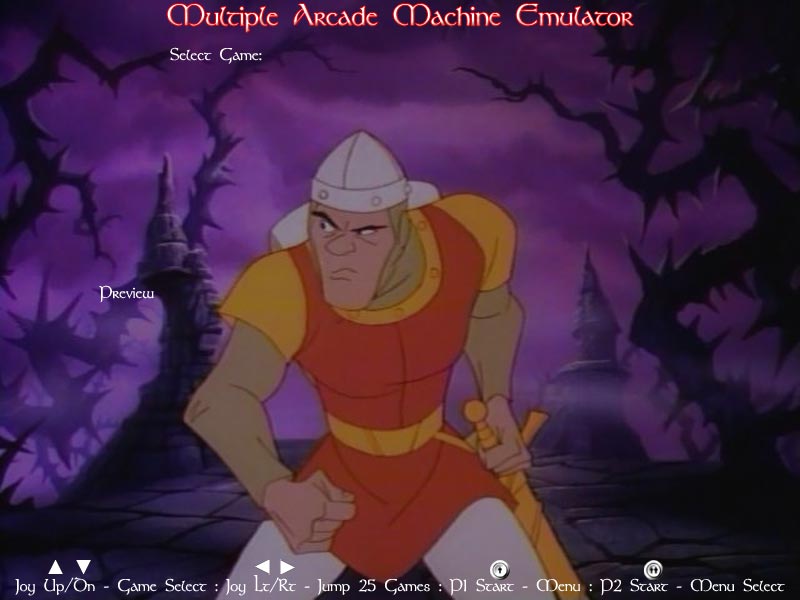
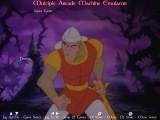
nice Dragon's Lair skin from their selections. This archive also
includes a wealth of other related resources such as sample configuration
files for various emulators, a great tutorial (which I did not read first),
and other helpful information. A fantastic site!

Dragon's Lair skin (from the ScreenShots Archive)
Working with the skin
I downloaded and installed the skin
easily but
when I ran it, I could not get the background image to show up no matter
what was tried. After an hour of scratching my head, I searched
the BYOAC software forum and found the answer quickly. The skin was
created for an older release of Mamewah, before the naming standard was
changed. Background images now needed
to be named "mame-main.jpg". Once this was done, everything worked
flawlessly.
I added another image to the screen for the control panel photo (if available). (Note- In case you don't have the control panel art
in the cpanels folder, they can be found here.)
Another default setting I changed was the graphic that is displayed if there
is no cabinet or control panel art for the game to be displayed. I
simply renamed the default image to something
different to keep anything from being displayed. This just looked
cleaner to me.
Both these actions were simple and intuitive.
Documentation
More or less everything is
documented in short text files included in the installation directories. The answers were not always
clear to me without several re-readings but I cannot
necessarily fault the docs as I am not always the most careful reader.
Use
As noted in the background above, Mamewah requires only the joystick and the two
player start buttons to run (and, of course, the escape sequence to exit).
Joy up or down goes to the next or previous game in the list, respectively. Left
joy sends you up 25 games, right down 25 games in the list. Player
start 2 takes you to the menu system and player start 1 is always the
selection button. Very, very simple! In fact, the skin I chose
listed the controls at the bottom of the screen. Navigation could not
be any easier or more user friendly. However, we will see how novice
users will react when they see the new interface for the first time.
Conclusions
The time I have spent with Mamewah
thus far has been great. In the coming weeks, as I get time, I plan to
further personalize it for my cabinet. It is a great product which I
give two big thumbs up!
My files
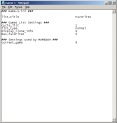
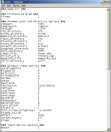

Links
 Mamewah
Home. Mamewah
Home.
 ScreenshotArchive - Help pages, MAMEWAH Layouts, and screenshots.
 MAMEWAH Setup - Great MAMEWAH configuring tool
New 7/30/2005-
I have added the Atari 2600 games to my cabinet. To see how
it was done, click the below link.
|