ArcadeCab

10/27/2020
Suzanne C's Megacade
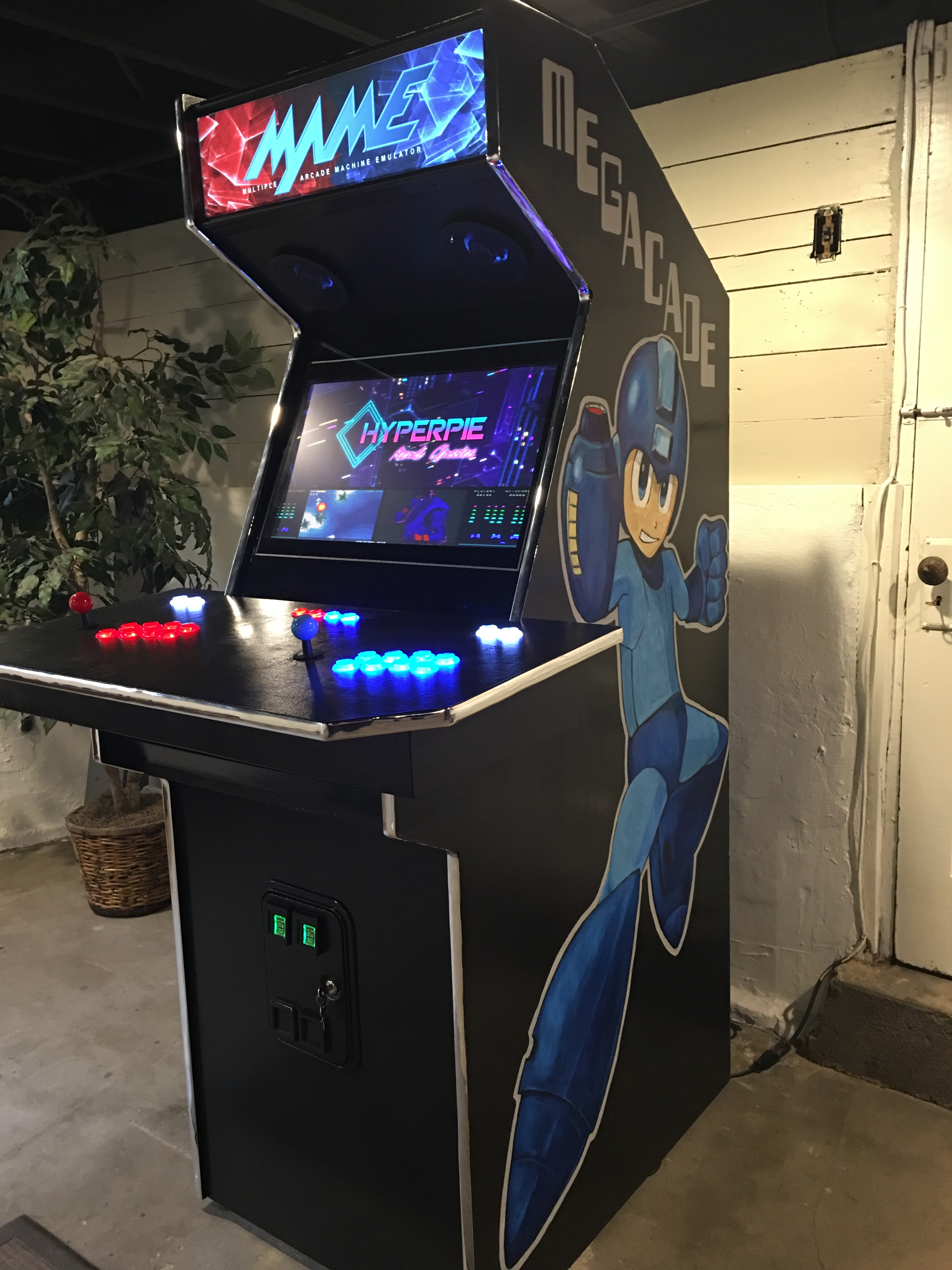
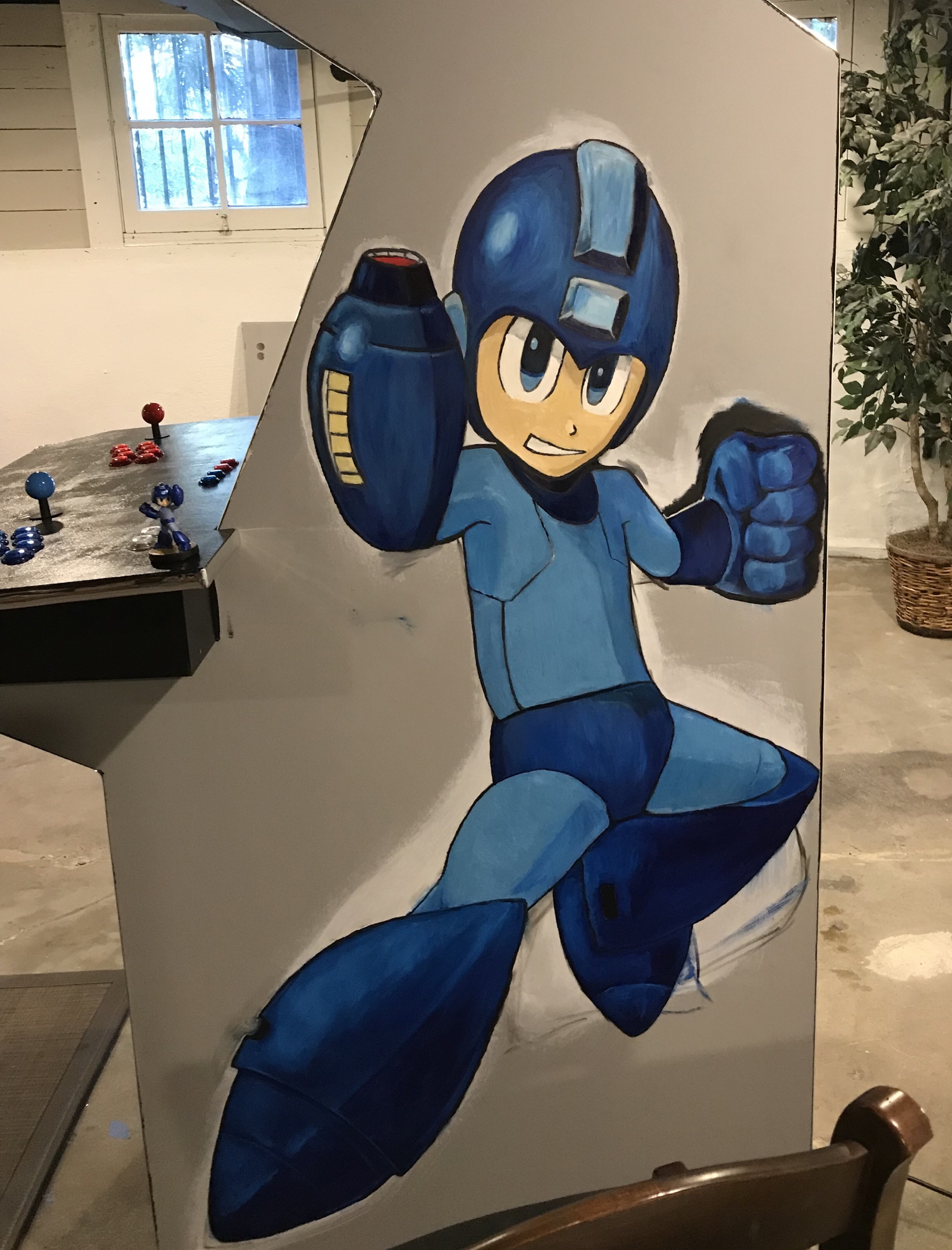
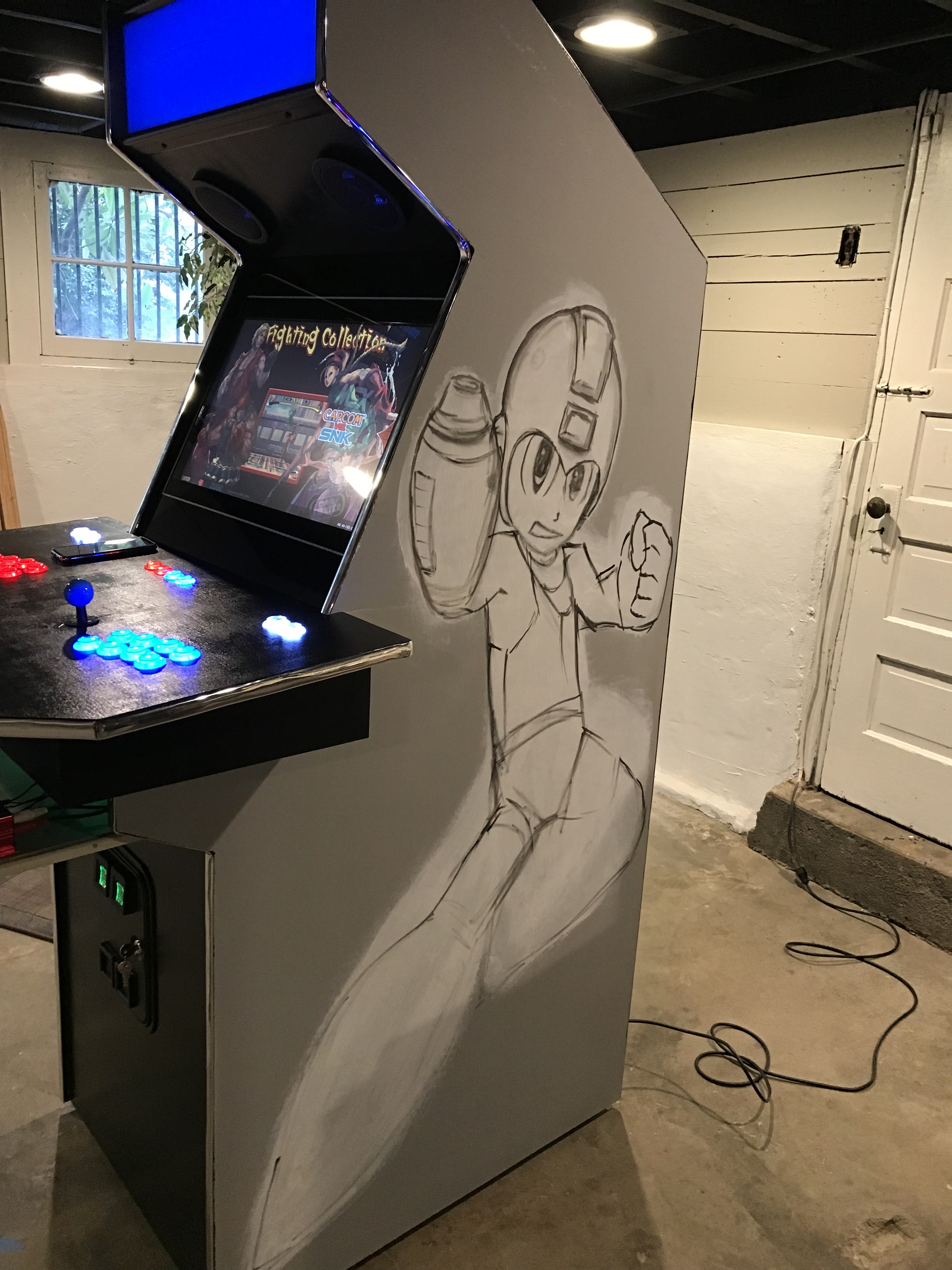 Suzanne sent me the pictures of her Megacade and the first thing I noticed was the fantastic sideart she painted herself. Incredible!
She and her wife used the plans to the cabinet earlier in the year (2019), with a few modifications of their own. They used a Raspberry Pi and an old monitor they had lying around.
I have included more of the progress pics on the Visitor
Page.
10/26/2020
Greg B's Arcade
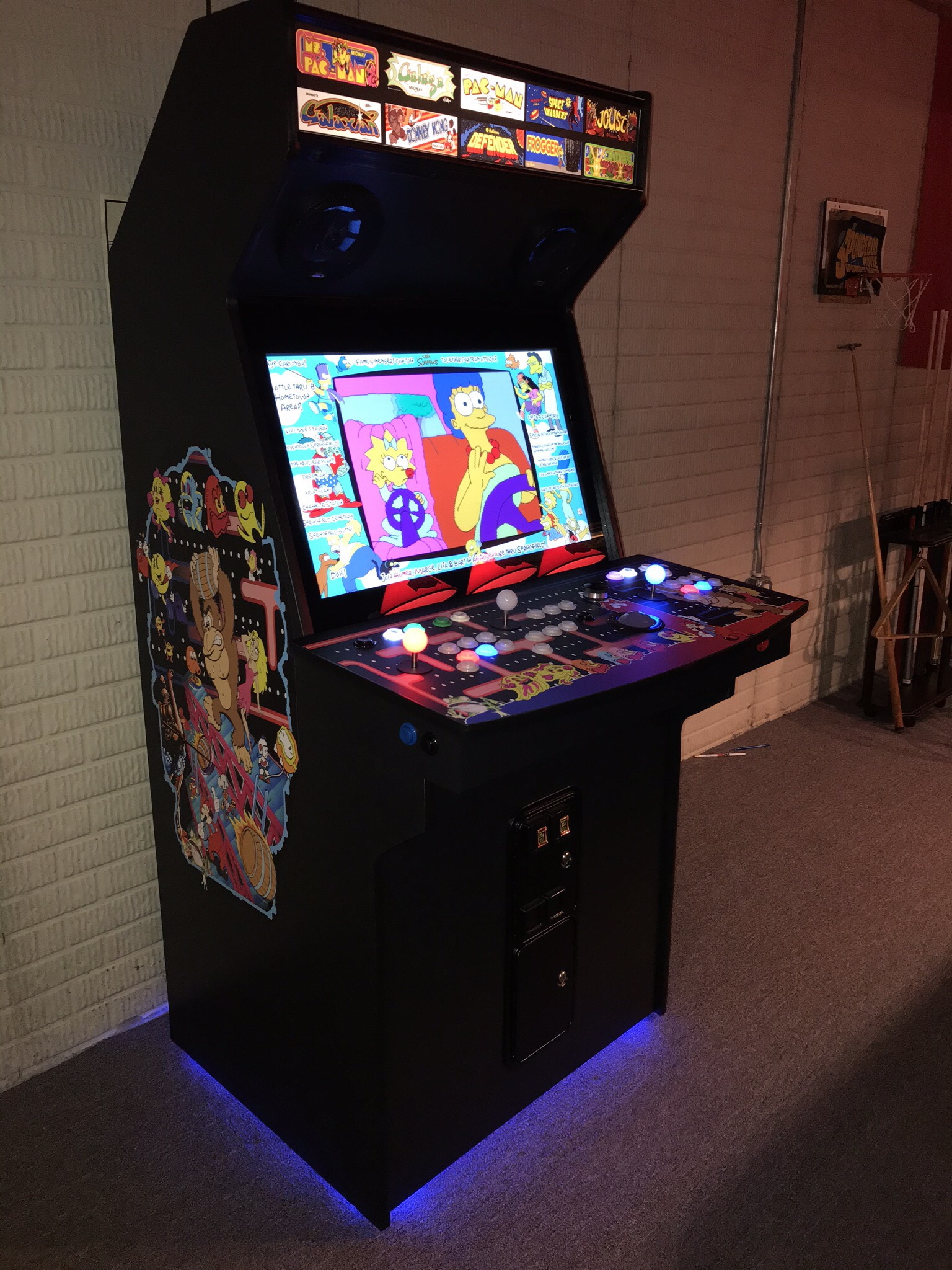 Greg B built this classic 80's arcade.
From his email:
"Hey there. I’ve been meaning to email you these pics for a while. I started this project a year ago and spent about 3 months on it. Your “cabinet plans 2” plans and guide were instrumental in my design and build. I don’t have much carpentry experience (just enough to be dangerous - no joke). I’m very pleased with the result.
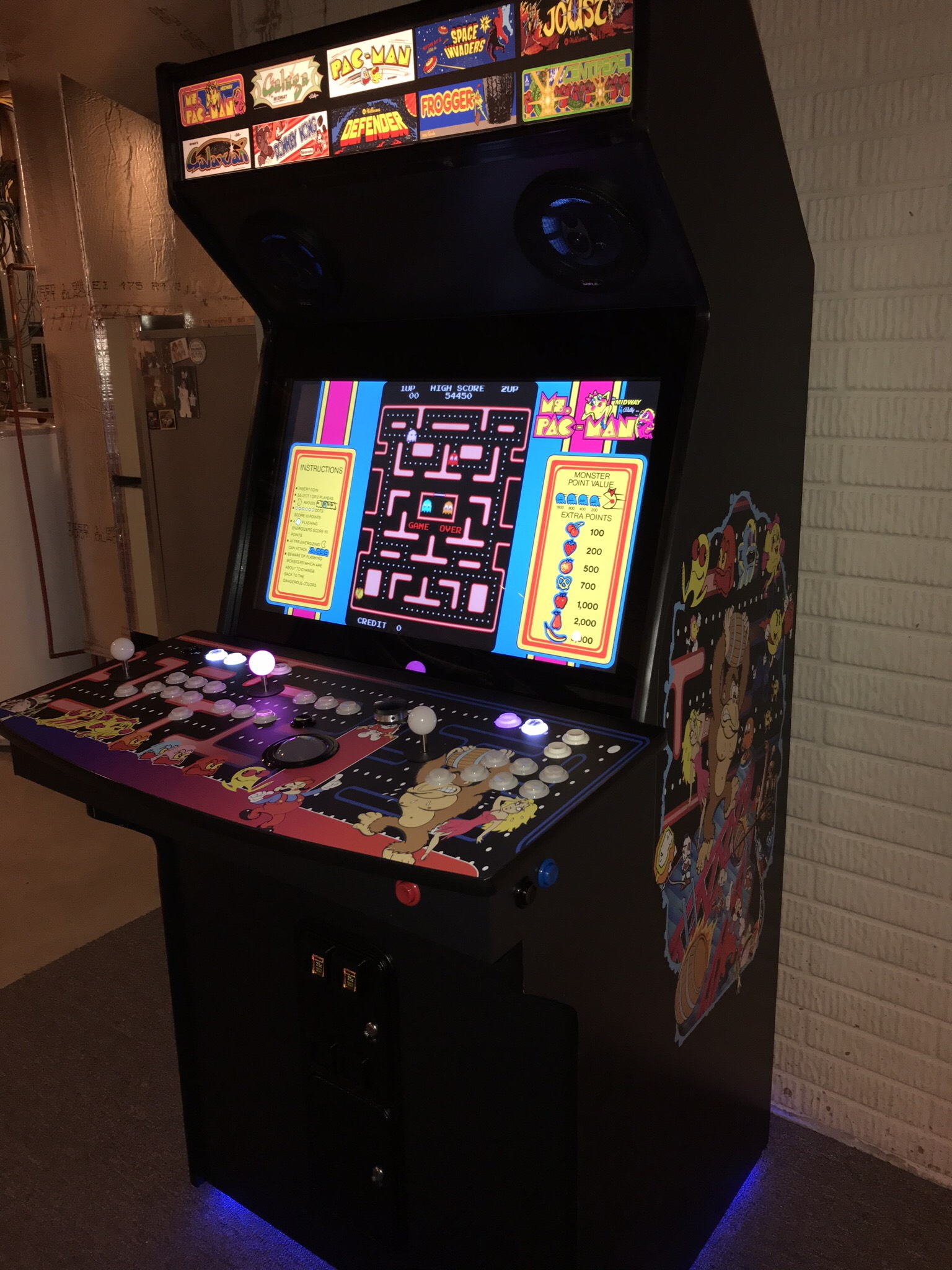 I modified the design to accommodate a 32” lcd monitor. Cabinet height is 74” width is 32” and depth is 37” including the control panel. Built of 3/4” birch plywood.
All CP components from ultimarc. Buttons are gold leaf rgb led.
I’m a child of the eighties so I play mostly the classics, but wanted the capability to play Capcom fighters and neogeo stuff, hence the slightly frankenpanel controls. Button layout has 3 sort of dedicated missile command fire buttons as well as an excellent Defender layout, which makes me happy. "
Good stuff! More pics on the Visitor Page
10/23/2020
Jared P's Retrocade
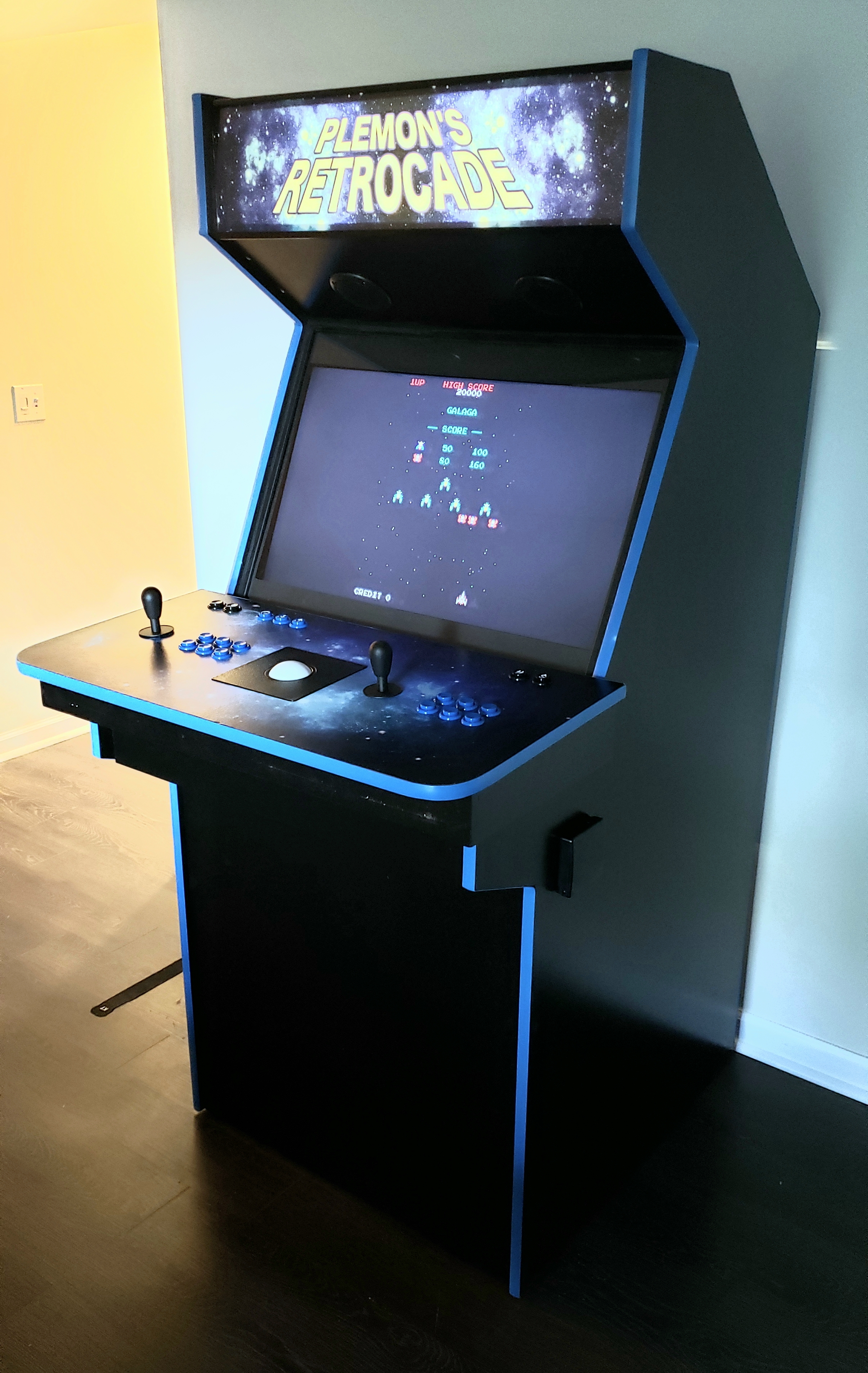 Jared P and I exchanged a fair number of emails as he worked on his build. It was enjoyable watching a build through another's eyes again. I was very excited when he finally said it was "done enough" to send along a pic of his creation.
"My Retrocade is finished!I might do something in the way of side art later but for now I'm going to spend time playing it and getting to know Launchbox/BigBox so I can get it set up the way I'd like on the software side.
I've inspired a friend to also build one. His son is on the spectrum and is a Pac Man fanatic and he is very excited about it. They came over and I put on Pac Man and that kid was over the moon!!! I showed them your site and they will also be following your plans. They already cut out the side boards and they look great.
Thanks again for your time and encouragement throughout the process!"
You are very welcome, Jared, and I am so happy to hear you brought another into the fold as well.
10/19/2020
Ryan's Cabinet
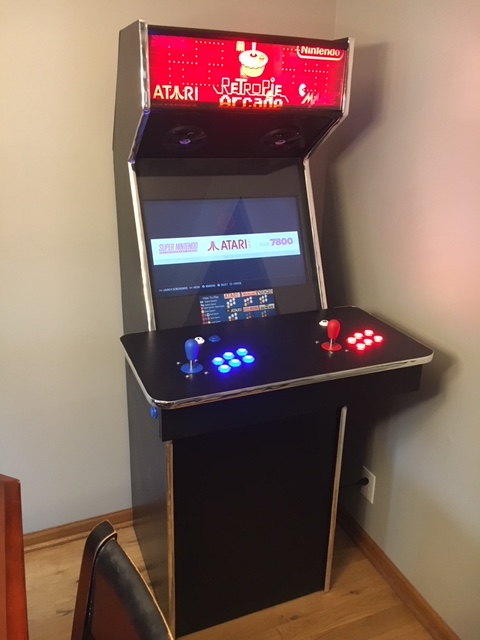
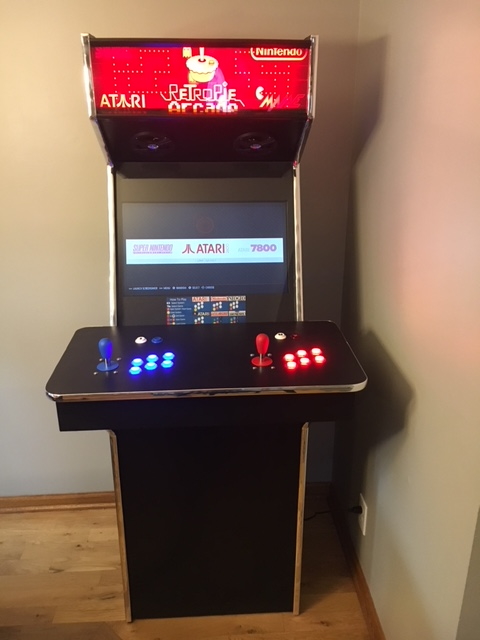 Ryan created this slimmed down arcade.
From his email:
"Attached photos are from my arcade build. I found your site extremely helpful in guiding me through the build process. I’ve never built anything out of wood before so I was definitely a beginner. I made the cabinet slimmer and wider to accommodate a 24” flatscreen. It’s using a raspberry pi to run Retropie and an Arduino Uno to control the marquee leds. Again thanks for the great information. I wouldn’t have been able to build my arcade without it.
10/10/2020
Long stretch since last visitor update
It has been a lonnnng time since the last update. My apologies. I have a number of visitor's cabinets still to put up that I hope to get uploaded before the end of this month (October) of this year (2020). Despite
it appearing the site is no longer being maintained, I do reply to emails when they come in, sometimes even providing the exact answer being inquired about.
I have moved to a new arcade PC, too (used Dell T3500 workstation with Win10). This necessitated very few changes from the Win7 in there previously.
6/21/2020
Added Dragon's Lair original disks.
 A few visitors have contacted me with Daphne questions. Apparently, I am one of the few (only?) sites with Daphne instructions. I ended up uploading all three of the original disks I had from 2003(!), and that was exactly what Clifton needed to get his
Retropie setup with Dragon's Lair 1 and 2, Space Ace, etc.
Dragon's Lair page
A few visitors have contacted me with Daphne questions. Apparently, I am one of the few (only?) sites with Daphne instructions. I ended up uploading all three of the original disks I had from 2003(!), and that was exactly what Clifton needed to get his
Retropie setup with Dragon's Lair 1 and 2, Space Ace, etc.
Dragon's Lair page
7/21/2016
Converted site to Mobile-friendly, responsive site.
Over the course of the last month, on weekends and evenings (and some very early mornings), I have made the website more mobile-friendly. The layout of ArcadeCab.com had not changed since 2003, so it was time for a little overhaul.
The pages looked like the two examples below. They just did not work well on phones, which is where more and more visitors were coming from.
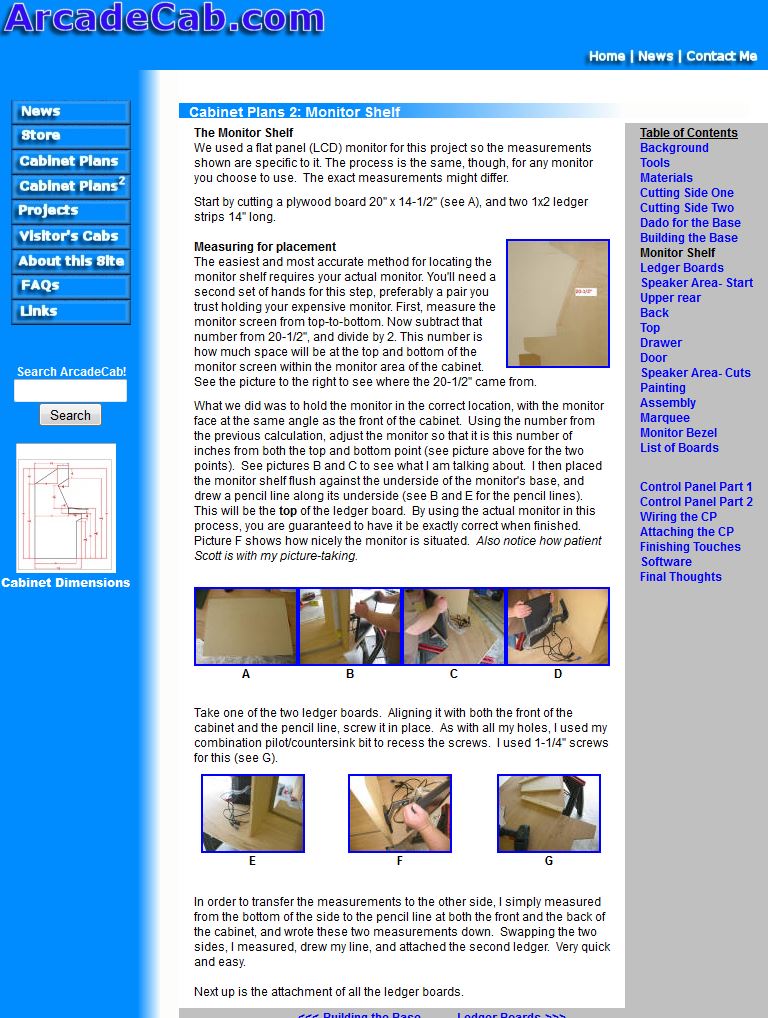

I did some research and finally came up with a reasonable layout, then went through the laborious process of manually converting all the pages. I used Notepad++ and got fairly quick toward the end.
Hopefully you like the new design. It is a little more simple, and quicker to load. (The Original set of plans did not get converted; you'll just have to muddle through them if you are on a phone. Sorry.) You might find somenumber of inconsistent fonts throughput the pages.
Maybe when I get some more more I will go through and convert everything to CSS a bit more cleanly.
4/30/2016
Jonathan M's Project
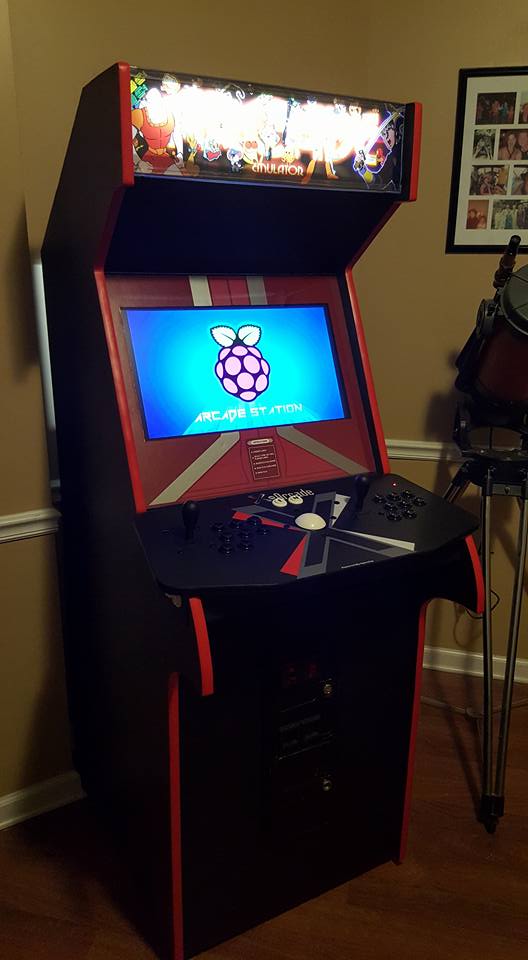 Jonathan
built this beauty. He used a 24" 1080p LED TV, a
Raspberry Pi 3 with 64GSD running Retropie
with Emulation
Station on it.
Jonathan
built this beauty. He used a 24" 1080p LED TV, a
Raspberry Pi 3 with 64GSD running Retropie
with Emulation
Station on it.
Snippets from his emails:
"The
bezel is a modified version of what
you used for yours. I have a vinyl cutter here at
the house so I just did the portions I wanted, in the colors I
wanted. I'll be honest, I tried coming up with a 100% custom
bezel but it was so difficult making up my mind, and then coming up
with something that looked stylish without being overbearing.
So I resorted back to your design and modifying it a bit to suit my
tastes ... As to the monitor size, I started with a 32" and felt it was
far too big when I "mocked" it up. Dropped down to a 28" and
still felt it was just a hair too big to have that "authentic" arcade
cabinet feel. So I went down to a 24" and it felt better to
me. ... We're probably going to add some Classic
Arcade characters to the sides for some color - i.e. Pacman and ghosts,
Donkey Kong, Mario, etc. Still haven't decided exactly what
to do.
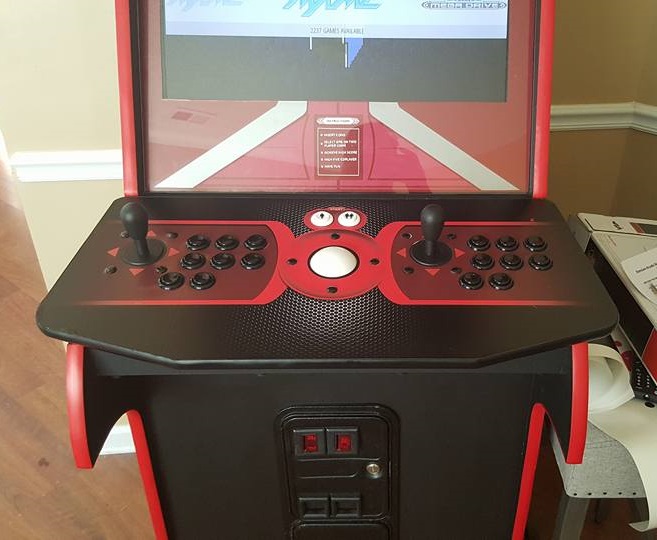
I used Retropie with Emulation Station on it. There are a few
"front end" views you can use but I found that Emulation Station worked
best in my opinion. There are several MAME emulators, Daphne
(Dragons Lair, Space Ace), Atari, Sega, NEOGEO, and many others built
right in. It's really quite an amazing system!
(Link: https://retropie.org.uk/)
I just downloaded their OS
image, formatted and unpacked it to the SD card and it was practically
done. ... I'm using ADVmame and Mame4All for most of the
mamegames. I'd say 95% of the games I have work between those
two. And ADVMame was the one I use for Trackball games as
Mame4All hates trackball from my experience."
Very nice!

6/7/2015
David M's Arcade
 This
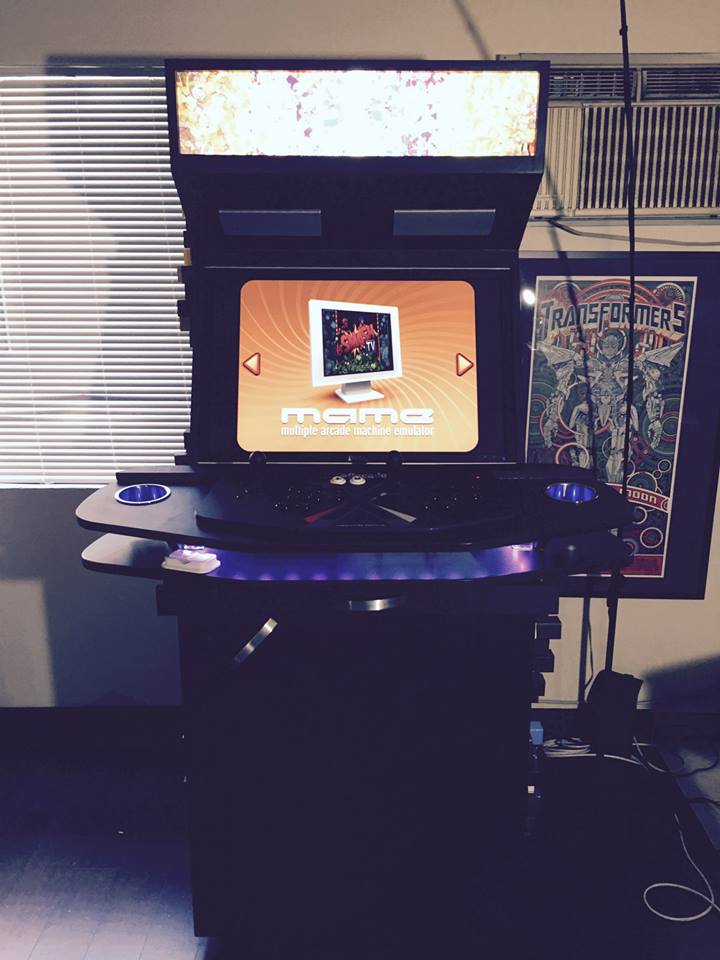
week David M sent me information on his recent build. This
was a project that he enlisted the aid of a buddy to help on.
It was completed in three months, working just one day a
week.
This
week David M sent me information on his recent build. This
was a project that he enlisted the aid of a buddy to help on.
It was completed in three months, working just one day a
week.
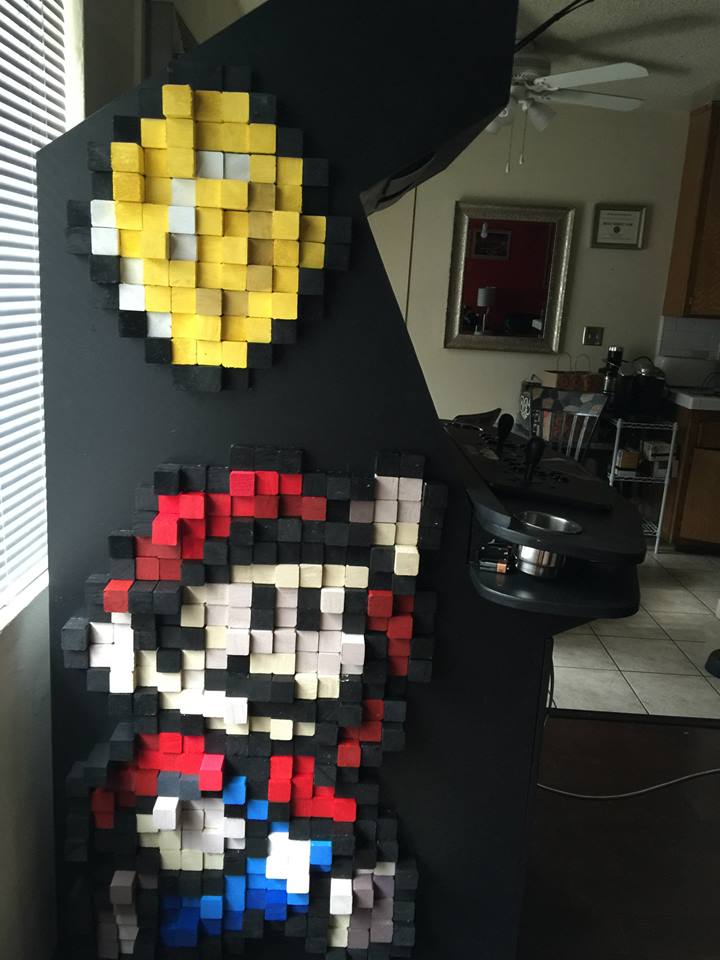
From his pictures I noted some very unique design elements (the sideart shown down below immediately caught my eye), so I got more details from him.
From his email:
"The
side art was made of 1 1/2” by 1 1/2” faring strips that came in 8’
pieces. I took a circular saw and just cut a thousand or so of them
into various lengths - from half an inch to three inches. Then I found
pixel art online and painted accordingly. It took some time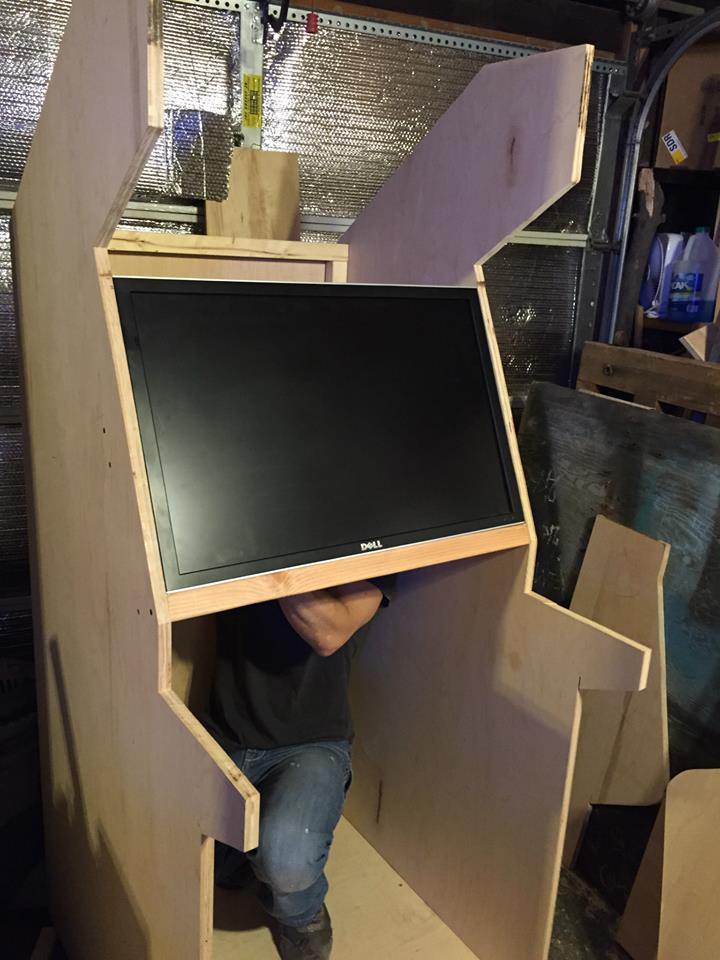 ,
but was totally worth it!!
,
but was totally worth it!!
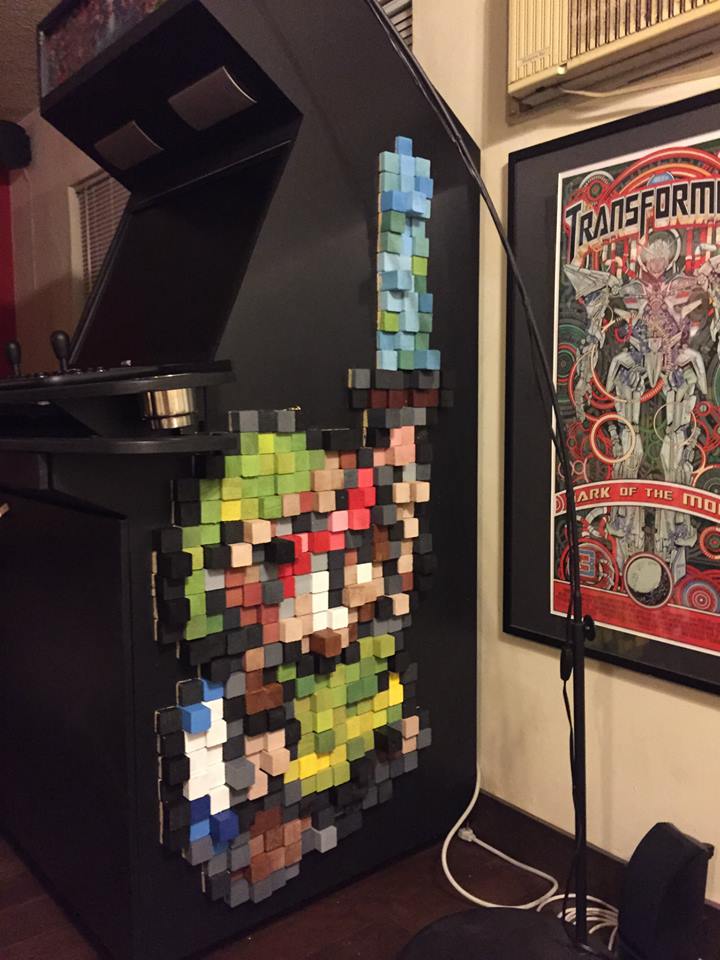
I used a 27” Dell monitor and built the thing around that. It seemed like a good size."
I included a picture of how he integrated the monitor into the cabinet;
very clean and custom. I get a fair number of questions on monitor size
and think this is a great example of how to do a larger monitor
correctly.
I also think the sideart is just so cool. My son spotted these pics and was fascinated by the work. Well done.
Several more assembly pics are on the Visitor
Page.
12/28/2014
Ben's Arcade
 Ben
sent me the results of his month-long project. From his email:
Ben
sent me the results of his month-long project. From his email:
"I was inspired by your arcade plans to build my own MAME cabinet. The end goal for my project was to build an arcade machine that was inexpensive as well as light. Also, it would need to be small enough to fit through the doorways in my house as I built it in the basement and moved it into the game room upstairs. My initial cut in size and weight started with a modification of your first set of arcade plans as shown below.
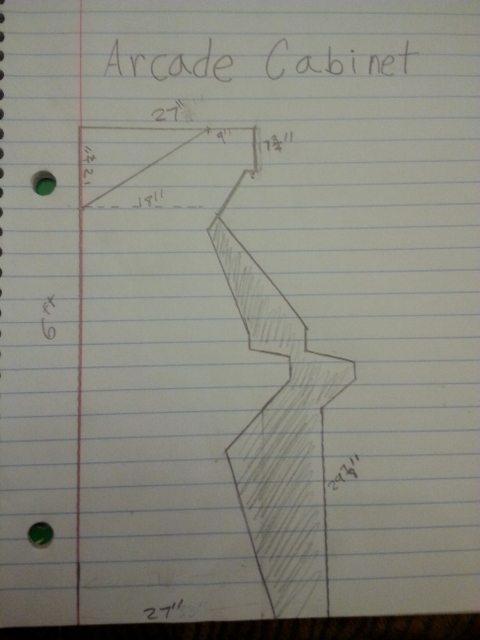
The shaded area is your cabinet design and the white overlay is mine.
I decided to go with 5/8" plywood to cut down on the cost. I used a
circular saw to cut my sides where possible and a jigsaw in the tricky
spots. I used a sanding block to straighten my jigsaw cuts. Then I
glued on 4" pieces of 2x2's to be used as ledger board to support the
sides. This cut costs since I could use screws to attach the front,
back and top panels instead of buying a table saw or router to make
dados. I also glued on a 10" strip of 1x2 on each side to support the
monitor shelf.
I drilled holes for the speakers and the coin and start buttons and
then painted it. Then I mounted up the speakers, monitor, glass, light,
and buttons and here's the final result. I decided to go with an
integrated control panel to save on lumber. I just use a wireless mouse
and keyboard for the computer operations. And given the cost of the
router and bits, I decided to skip the T-molding. I think it turned out
just fine never-the-less.
It was a long 3.5 weeks building this arcade machine, but now I've got
a finished product that is super fun to play and always entertains any
house guests that stop by.
I appreciate you publishing your plans online. It really helped give my
a starting point for my project.
P.S. If there was one thing I learned during this project that might
help out others, it was that garage door bottom molding does a great
job of filling the gaps on the edges of the plexiglass."
I liked how Ben made some smart design choices in order to save money as well as better fit the cabinet into his home. Very nice job. Several assembly pics are on the Visitor Page.
12/20/2014
Changes to my arcade
Last month we did a little remodeling work in the room where the arcade
sat, so it had to be relocated to another room for a couple weeks
(where it did get played). When I moved it back in, the power
supply decided it had not liked the moving about and died. As
the PC was from 2002, I wasn't going to spend any money fixing it, so I
hit ebay. After a few attempts, I won a nice
little machine.
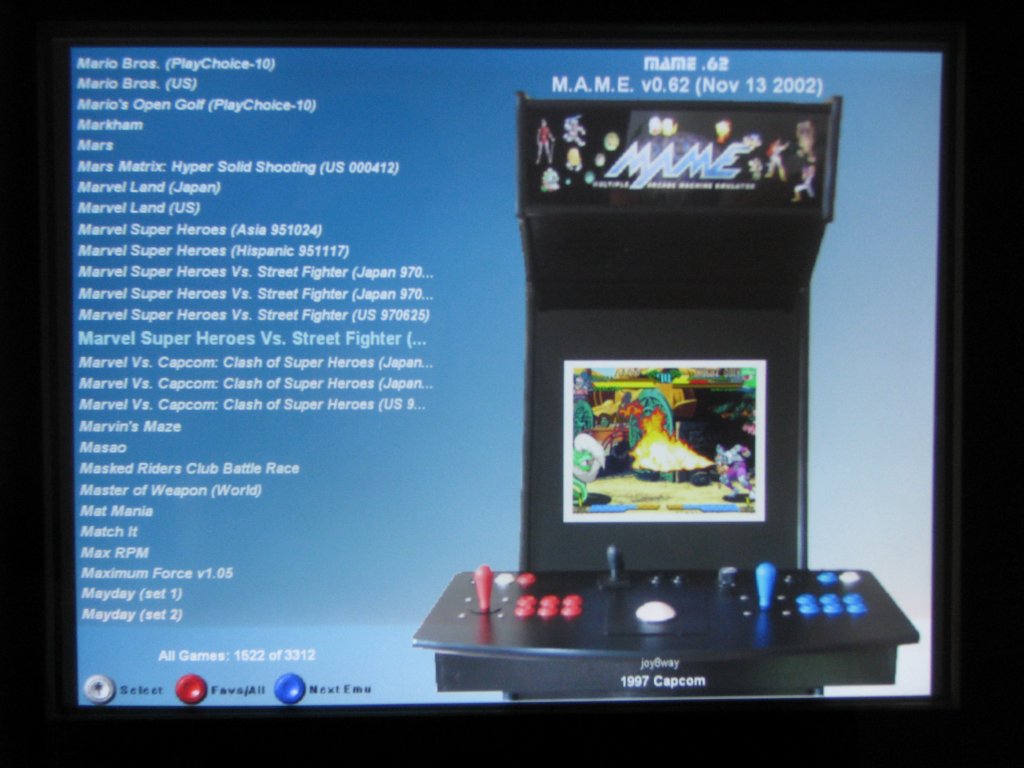
This being Win 7 64-bit, my old mamewah setup wasn't going to work, so I went to MaLa. I fashioned a similar look to what I had before, and am still working on learning its nuances. A project page about my specific setup has been added.

Dragon's Lair, after some work, is now running again. My son was initially concerned about its 'violence' but soon realized it was tame and now loves to play it. I added a project page up for how I set Dragon's Lair up on Daphne for the 64 bit machine.
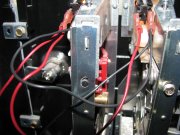
I also took the time to swap out the burnt marquee light bulb, and to create a new method of powering the coindoor lights. I have created a project page for that might help others.
* Click for Archived News Items *
6/2/2014
 Alfie's
Old School Arcade
Alfie's
Old School Arcade
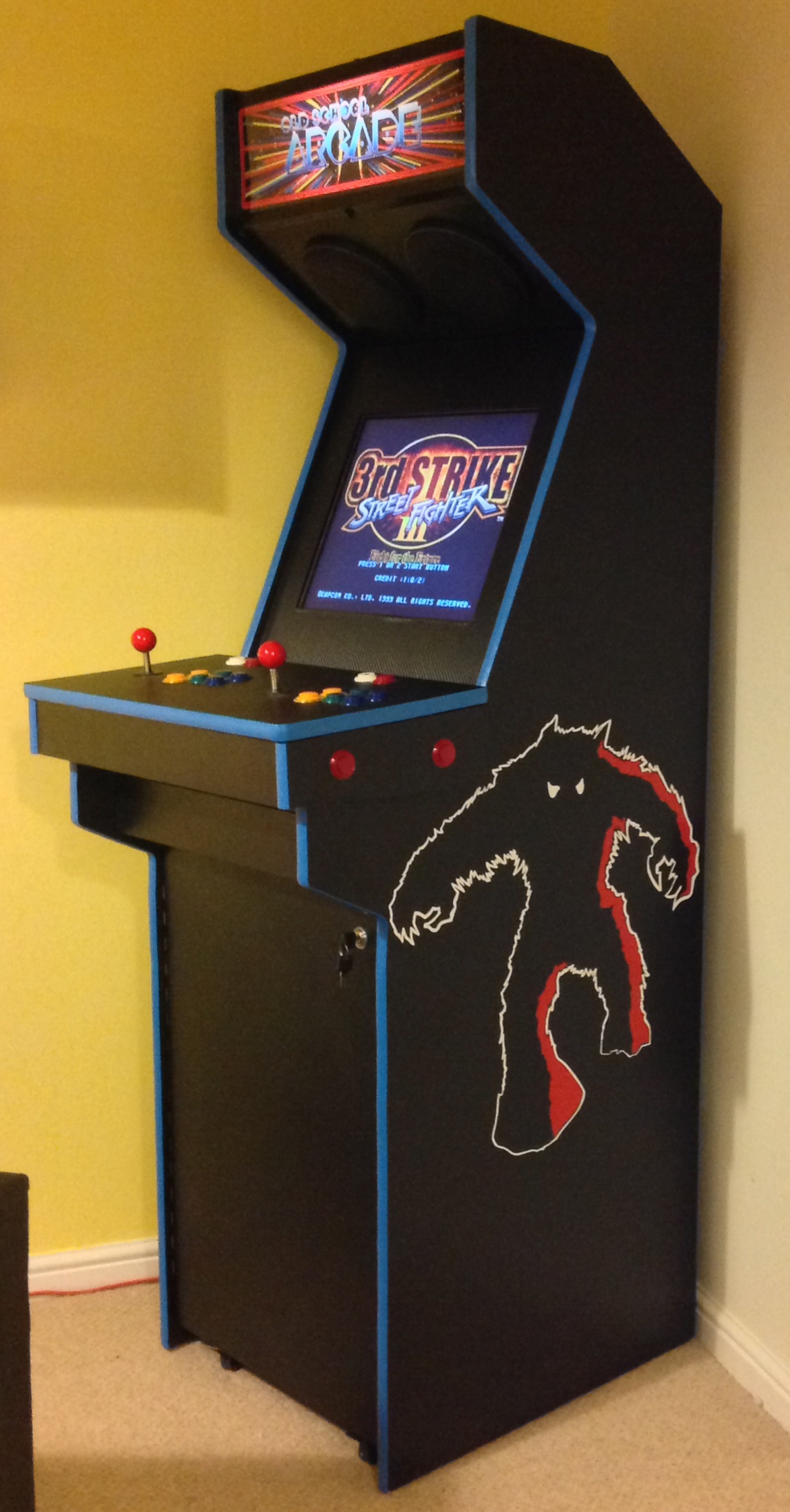
Alfie T sent me a note about his arcade:
"I thought I'd sent you a pic of the arcade machine I've just finished building. I stumbled across your website by chance earlier this year and it inspired me to have go at building a machine from scratch. I followed the 2nd set of plans and the only major change was reducing the depth by about 10" as I was only using a 19"TFT monitor."
5/30/2014
 Shawn's
Arcade
Shawn's
Arcade
Shawn created this beauty, and has a great blog of the entire process,
with tons of pictures (http://shawnsarcade.blogspot.com/).
I always enjoy reading these; they bring back so many fond memories of
my builds.
 Jeremy's
Street Fighter II Champion Edition tribute cabinet
Jeremy's
Street Fighter II Champion Edition tribute cabinet
From Jeremy's email:
"Your site was invaluable. Over the course of eight months, I was able to produce my own MAME cab. It's primarily 3/4" MDF with some 1/2" panels. Made some slight custom tweaks from your plans, but this is mostly from your Arcade Project 2 series. So, this is my Street Fighter II' Champion Edition tribute cab. Runs a laptop on a 27" crt tv. Chrome t-molding felt more '90s."
The chrome is very cool!
2/11/2014
 The
KOTLI Cab
The
KOTLI Cab
Alexandre K modified the second
set of plans by reducing the depth of the
cabinet. He took the resultant plans to a local kitchen
cabinet maker, who used a CNC machine to turn two sheets of black
melamine into the arcade's boards. I would have done the same
thing had the opportunity been available (he paid only $150 for the
boards and the machining- a steal). He used a 21" flat screen
for the monitor.
I have included several assembly pics on the Visitor Page.
9/22/2013
 R.J.
P's Michael Jackson Arcade Cabinet
R.J.
P's Michael Jackson Arcade Cabinet
R.J. constructed his three-player Michael Jackson Moonwalker cabinet
using a modified second
set of plans. He is running it off an old
Compaq laptop, with emulators for MAME, Nintendo, SNS and Sega
Genesis. He even constructed a
bartop cabinet from the spare parts from this
build. Very cool.

He created a Tumbler
page with plenty of details. I found a
couple interesting construction ideas in the page, including his
discussion of the stenciling found on the cabinet. Great job.
 William
M's "brocade"
William
M's "brocade"
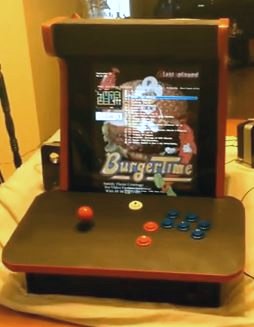
William sent me a youtube
link to his barcade, the "brocade". Watch
it to see how it was named. He built this primarily from my
barcade
plans. It is a enjoyable little
video. He also has a video of
the arcade midway in its construction process that
I also found informative as well as taking me back about nine years
during the construction of my own barcade. Give these two
links a view.
* Click for Archived News Items *
7/7/2013
 Chris
M's arcade
Chris
M's arcade
Chris used the second
set of plans, adjusting the cabinet's width to
26" to accommodate a larger monitor. He also added a couple
2x4s to the interior (as in the first set of plans) to
make it a bit more sturdy.
5/26/2013
 Chris
P's arcade
Chris
P's arcade
Chris sent me a picture of his cabinet. He based his artwork
on
Scott's "Blue Meanie" cabinet, with slight
alterations to fit the cabinet's design.
Nicely done.
5/4/2013
David D's "Project X"
David Dahlstrom completed Project X last summer and
created a great
series of blog posts about the project.
They are a good read and bring up many topics which every builder needs
to consider before embarking on an arcade cabinet build. I
especially enjoyed the section on monitor selection. David
also did my breakdown technique one better by using bolts and threaded
inserts. Very nice!
There are more pictures on the Visitor Page.
 Wes
B's "The Mame Gold Mine"
Wes
B's "The Mame Gold Mine"
Wes built his cabinet around the TankStick
using the second
set of plans. He widened the cabinet to
accommodate a 24" LCD monitor as well as chopped 10" off the depth to
better fit in his living room. The name "The Mame Gold Mine"
was based on the Gold Mine arcade (below) where he worked as an
attendant 20 years ago. The project went quickly, taking only four
weekends.

I like how well the cabinet fits into the space.
There are more pictures on the Visitor Page.
3/30/2013
 Wade
P's "Super Arcade"
Wade
P's "Super Arcade"
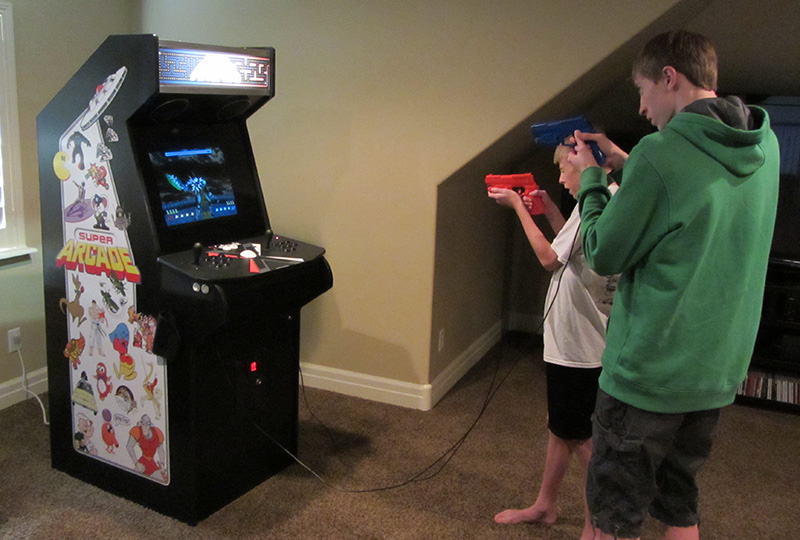
Wade finished his project after "13 months of hard work." He
built the "Super Arcade" to better utilize the TankStick he already
owned. He added two light guns, which is something I have
always thought would be cool.
From Wade (excerpted):
"Toughest
parts? Hard to say. Figuring out details with about everything I
suppose. I'm a perfectionist and not an experienced woodworker. That
makes for a slow project cycle. Tough items were the bezel, front
plexiglass configuration, finding a proper lightgun holster, finalizing
my cabinet side template...it goes on and on.
Like most projects it always takes longer than you
thought right? Lots of smaller details that I didn't realize on the
onset that I would have to deal with. The impetus for the whole project
was A) I'm an arcade fanatic, B) I had a older, larger CRT monitor that
I didn't have use for otherwise that made MAME game look about as good
as an arcade monitor and C) I'd been using this huge X-Arcade Dual
Tankstick to play games and it was getting unwieldy . I had to do
something with it. I wanted to combine all these things into a cohesive
whole.
Truly, it has been a journey to get to the point I'm at. At times
frustrating, but mostly fun. My wife will tell you that I've been
obsessed."
He posted a project thread on ArcadeControls.com that details the construction, as well as a software blog post. Update 5/26: Wade completed the second blog post about the cabinet's construction, as well as a YouTube video.
There are more pictures on the Visitor Page.
3/17/2013
 Chris
M's arcade
Chris
M's arcade
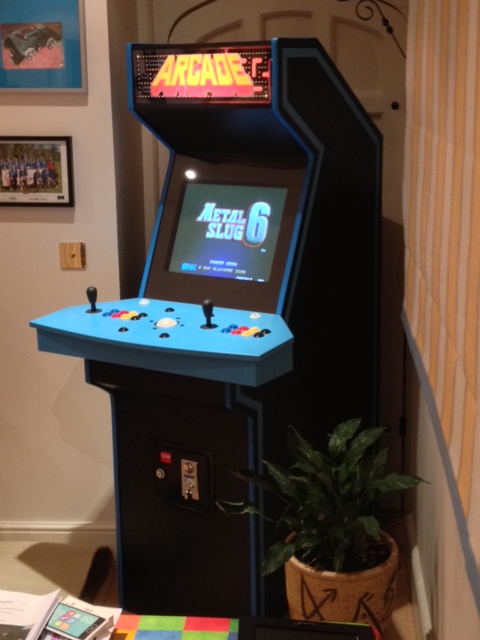
Chris sent me the result of his work that he produced during his final
year at University studying Robotics in the UK. From his
email:
"
I had the opportunity to build something on my placement
year, I ambitiously asked to build a MAME cabinet, which I was
surprisingly received the reply "If you supply the plans than OK".
As I was also paying for accommodation and student fees with my
earnings, I had to create the cab on a very tight budget. It was at the
company also that I managed to gain possession of most of the materials
from industrial size off cuts, the speakers and the monitor for free as
the company was about to throw them out. As well as the paint as the
cab is painted in company colours. The finished cab totaled for £300
(about $450) and took about two weeks to build.
Extra features if the cab include if you look closely at the photos you
notice a line halfway down the cabinet, that is because although the
cab moves on castors, for ease of transport the cab can be separated in
two. Both halves are then fixed together by two panels that each half
are screwed on to. The panels also hold the control panel to the cab by
friction (no screws or glue required).
The light for the marquee is a bathroom strip light that is activated
with the monitor via a smart power adapted controlled by activation of
the PC where the switch is on a shelf right behind the coin door. On
that shelf I also keep the keyboard and spare mouse that came free with
the PC."
Very nice work. There are more pictures on the Visitor Page.
1/28/2013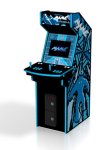
"Blue Meanie" as Arcade
Machine sculpture
Phil Nolan created a nice 3D rendition of
Scott's "Blue Meanie" cabinet, and added it to the
Shapeways
site where you can order a physical copy
in sandstone. It is 2.133 w x 6.194 d x 3.928 h. It
looks very cool so I thought I would share.
* Click for Archived News Items *