ArcadeCab
Cabinet Plans 2: Attaching the Control Panel
Cabinet Plans 2:
Table of contents
Table of contents
- Background
- Tools
- Materials
- Cutting Side One
- Cutting Side Two
- Dado for the Base
- Building the Base
- Monitor Shelf
- Ledger Boards
- Speaker Area- Start
- Upper rear
- Back
- Top
- Drawer
- Door
- Speaker Area- Cuts
- Painting
- Assembly
- Marquee
- Monitor Bezel
- List of Boards
- Control Panel Part 1
- Control Panel Part 2
- Wiring the CP
- Attaching the CP
- Finishing Touches
- Software
- Final Thoughts

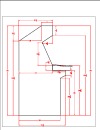
Attaching the Control Panel
You can do this a
variety of ways. The method we employed was to just use 4 smaller
L-brackets and attach the panel from the inside, with the brackets being
hidden by the keyboard drawer. You could get away with just two
brackets; four just makes it a little more solid.
Next up
are the finishing touches.